
Get registered
Getting registered doesn't need to be complicated. Follow our instructions below to get signed up for any of the ITT or WATA tennis and pickleball leagues.
Need Help?
Technical issues: Contact Delaine Mast at 717-587-7184
WATA leagues: Contact Rich at info@watatennis.org
General support: Contact dmast@impactteamtennis.com


Registration Guide for Impact Team Tennis & Pickleball
Whether you're new to Impact Team Tennis (ITT) or Impact Team Pickleball (ITP), or looking to join a new league, this guide will walk you through the entire registration process step-by-step. Registration is simple: create your account, obtain your USTA number (if you haven't already), link your account, join a league, and then make your payment.
Step 1: Create Your Account
- Go to the Impact Team Tennis Website linked here - https://impactteamtennis.com/
- Click on the "Login/Signup" button in the right hand corner of the Impact Team Tennis website's homepage.

- You'll see a list of current leagues. Click the "Login" button at the top right corner.
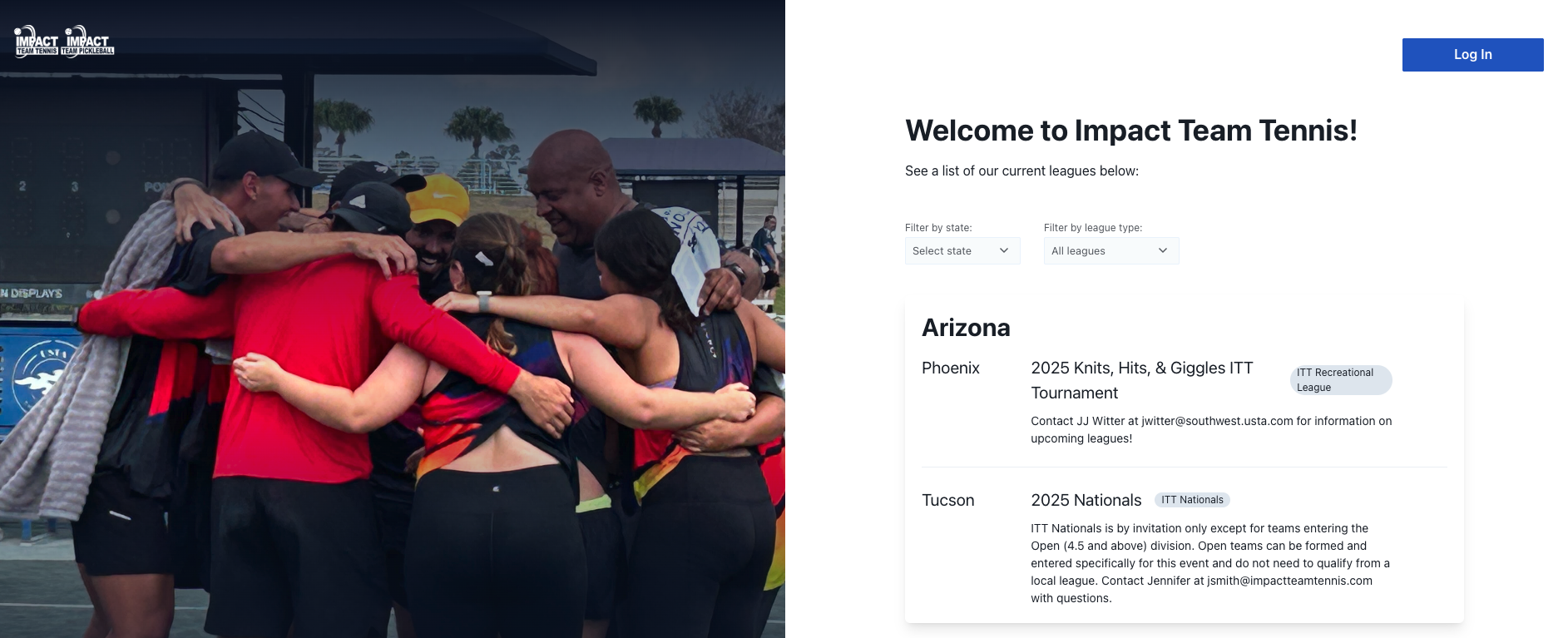
- Select the bottom link, "If you have not created a “Profile” in the new ITT Platform, click here to begin".
- Create your ITT Profile username and password.
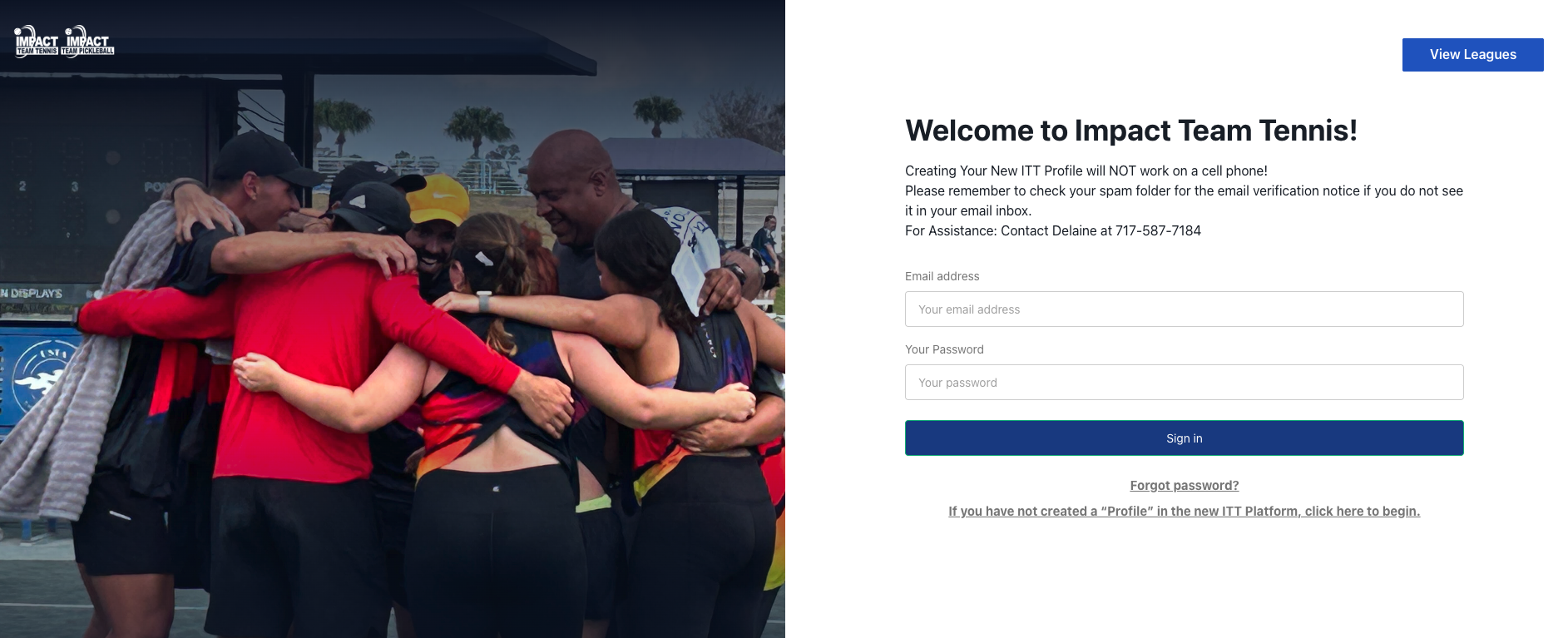
- Check your email (including spam and junk folders) for a confirmation email.
- Click the link in the confirmation email to be redirected back to the account setup page.
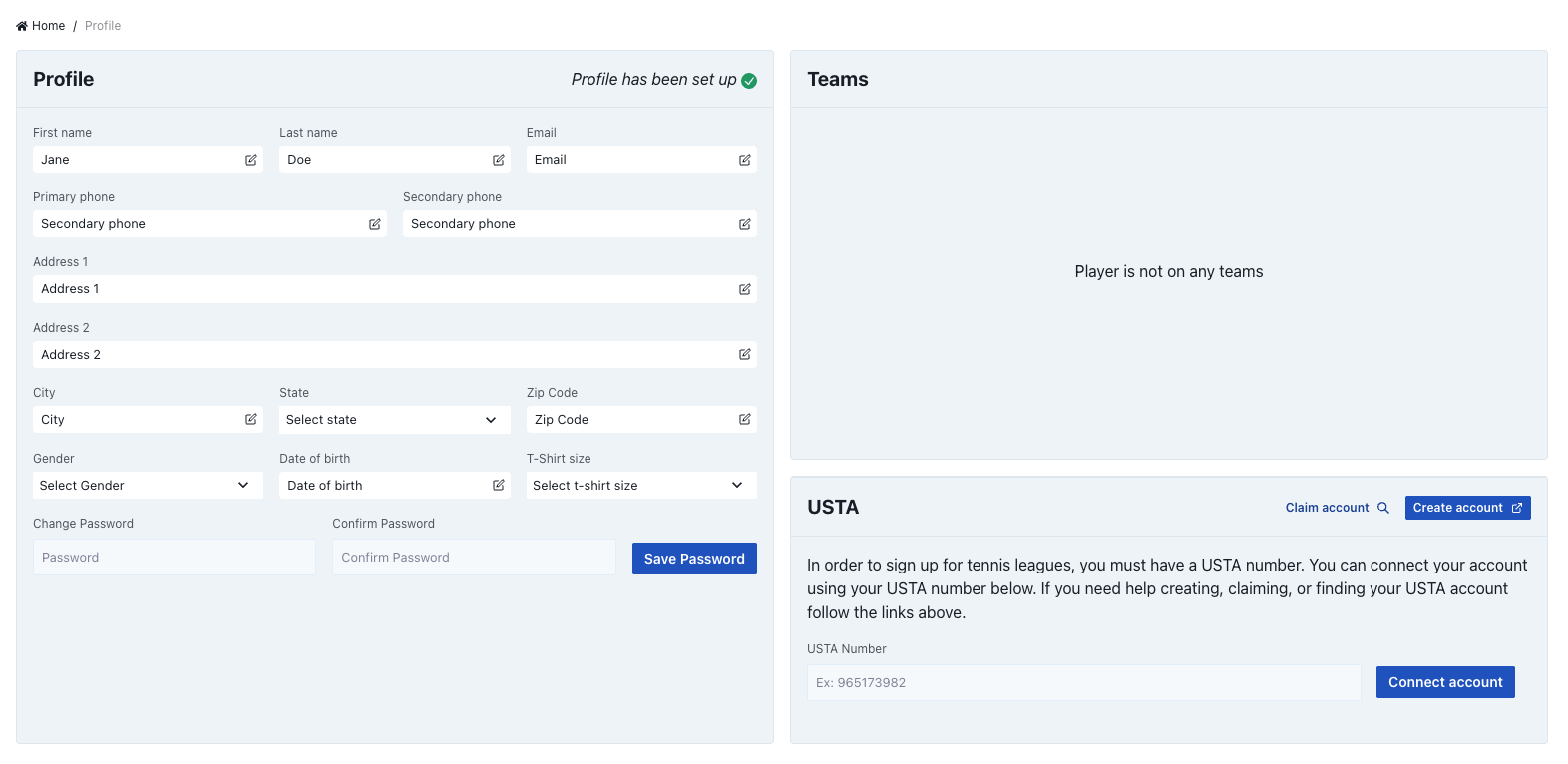
- Fill out your profile information.
Step 2: Accept USTA Terms and Conditions
- Click the out-link in the top right corner to open USTA's terms and conditions in a new browser tab.
- Read through the terms and conditions.
- Close that tab and return to the ITT page.
- Check the acceptance box and continue with your account setup.
- Click "Looks Good" to confirm your details.
- You'll now be taken into the ITT Platform.
Important: You MUST have a USTA account to sign up for any Impact Team Tennis league. This is FREE to obtain.
If You Don't Have a USTA Account:
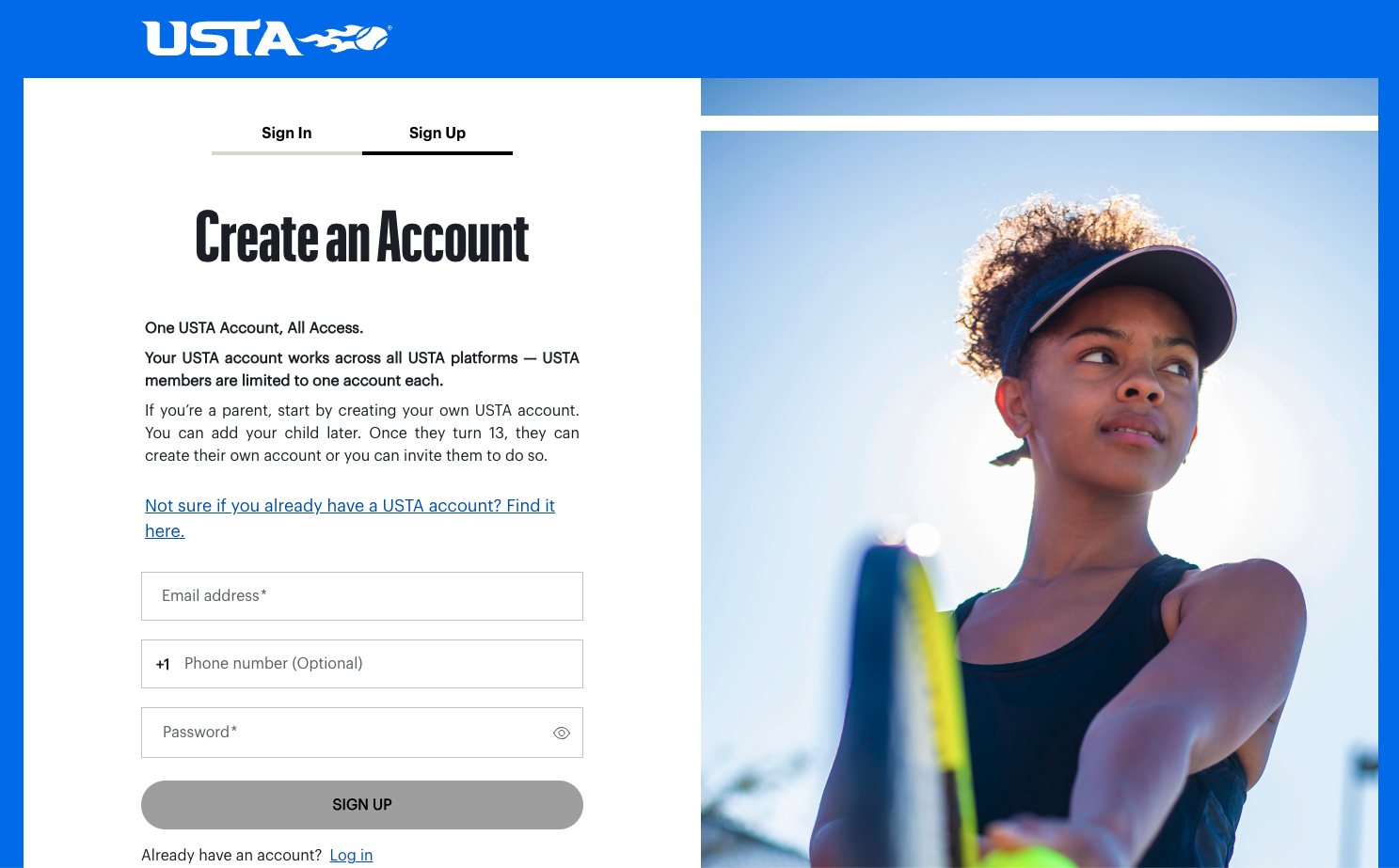
- On the bottom righthand corner, you will see a button to "Create Account" or go to this link for the USTA Sign Up page.
- Register for free on the USTA website.
- Once you've registered and obtained your USTA Number, complete the self-rating process.
Step 3: Link Your USTA Account (REQUIRED for Tennis Leagues)
- Navigate to "My Profile" by clicking on your initials in the top right corner.
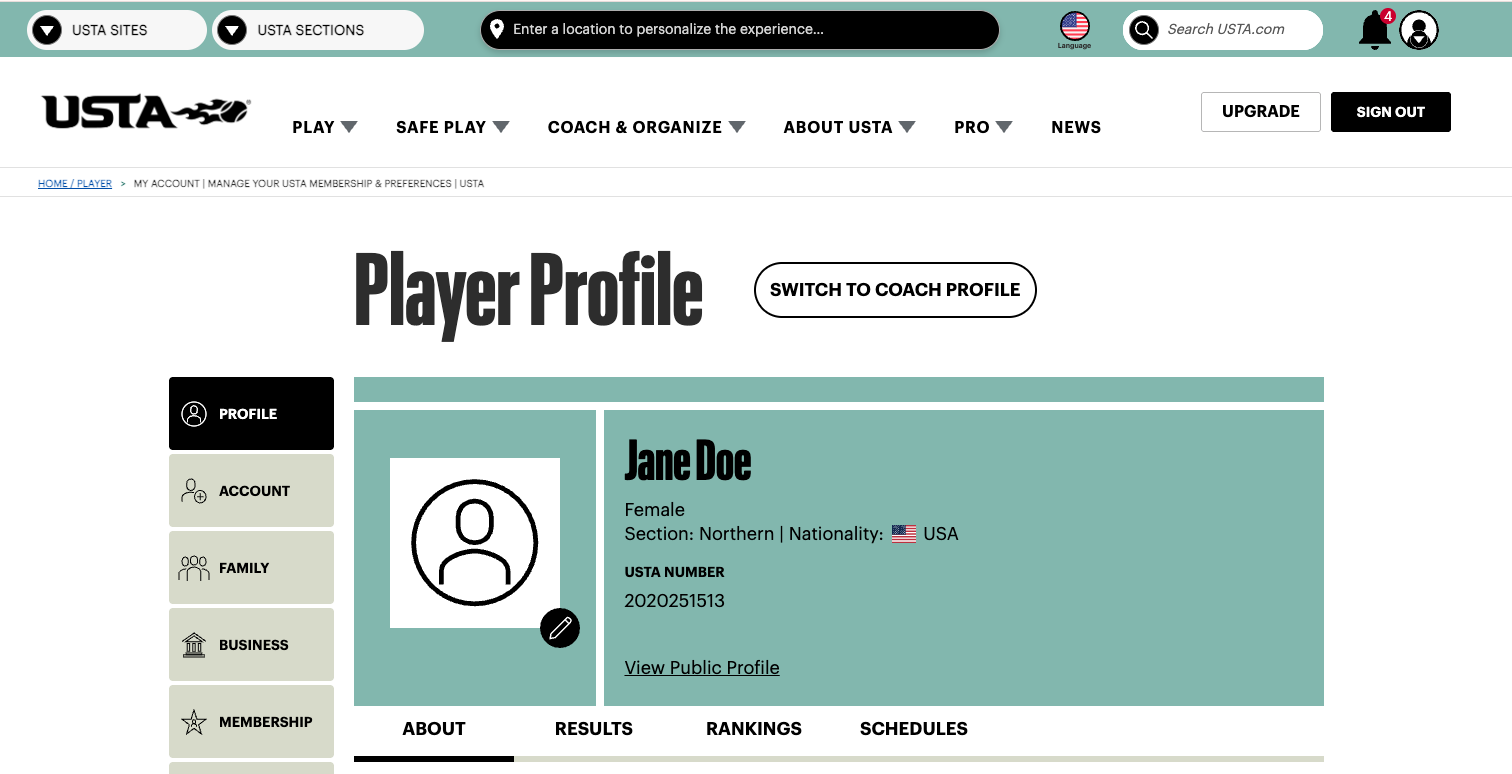
- Find your USTA Number in your profile.
- Go back to your ITT Profile screen.
- Add your USTA number to bottom right "connect account" section.
- Click "Connect Account".
- Confirm when your USTA info appears.
- You're now eligible to sign up for teams!
Note: You only need to do this USTA linking process once, and then you can see all teams you've signed up for.
Step 4: Find and Join a League
Browse Available Leagues
- Click "All Leagues" in the top left header navigation.
- Filter by:
- League type (Tennis or Pickleball)
- State/location
- Skill level
- Review league details including dates, times, and locations.

Sign Up for a League
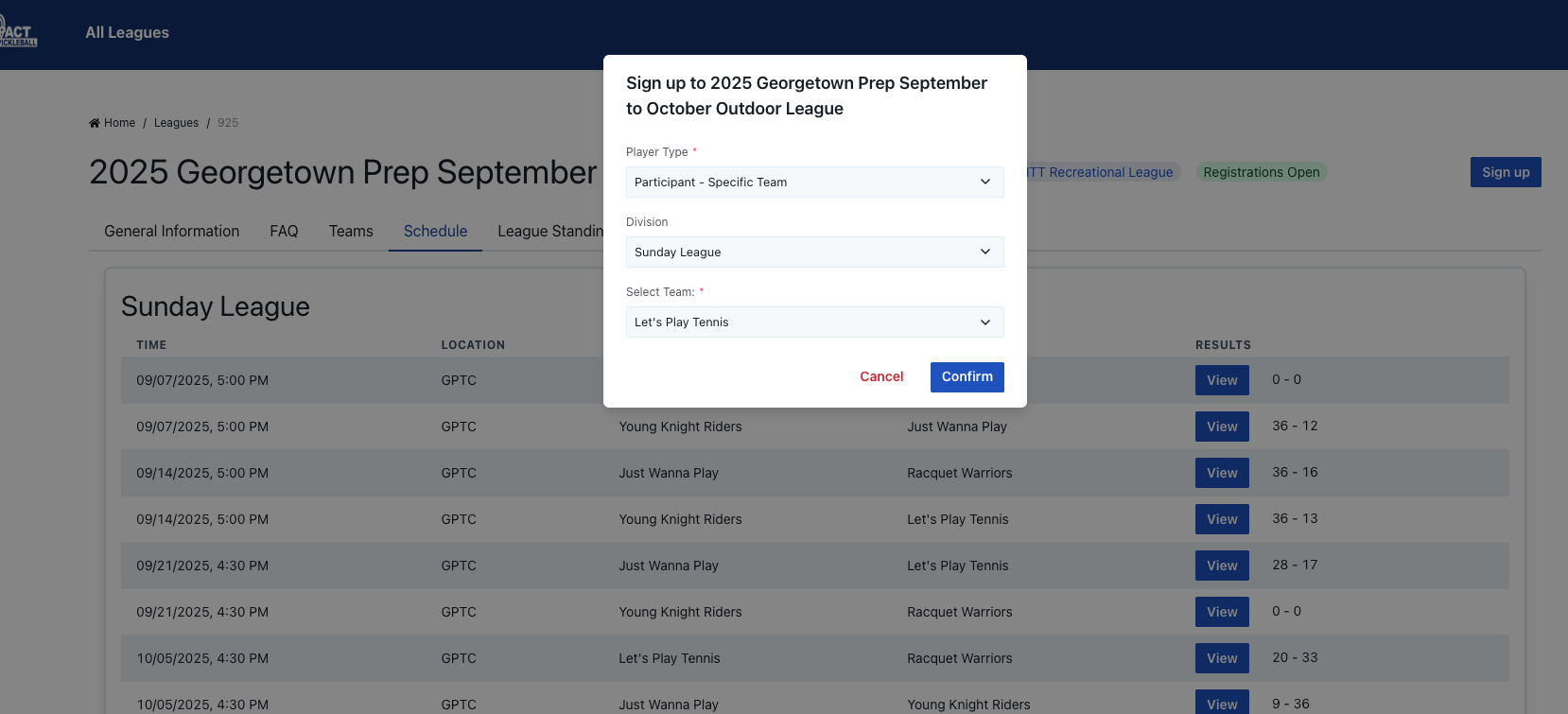
- Click the "Details" button for your chosen league.
- Select "Sign Up" in the righthand corner.
- Choose your registration type:
- Participant - Specific Team: Sign up for any team/captain - League Director will assign you
- Participant - Single: Sign up for a specific team/captain and division
- Team Captain: Sign up as team captain/team leader
- Select your choice and confirm.
Alternative Registration Path
(WATA Leagues)
If you already have your World Tennis Number and want to register for a WATA-specific league, follow the steps below:
- Go directly to: https://play.watatennis.org/
- Follow steps 2-8 from above.
- Complete profile information and check the USTA box.
- Enter your USTA Account Number (Do NOT buy a membership).
- Go to "All Leagues" and sign up for your specific WATA league/event.
Complete Payment
Once you've signed up for the league of your choosing, the league director will send you an email with an approval to join the league and link to make a payment.
- Wait for League Director approval - you'll receive an email once the approval is confirmed.
- Click the link in the approval email.
- Complete payment using the league director's preferred payment system that will be included in the email.
- You're registered!
What Happens Next?
Once registered and approved:
- You'll receive match schedules.
- You can view team rosters and league standings.
- You'll get weekly match reminders.
- You can track your league history and statistics.
FAQs
Have more questions about getting registered or the registration process?
Yes! Obtaining your World Tennis Number is free.
Yes, all ITT and WATA leagues require you to have a USTA number in order to register for the league.
Yes, you need a World Tennis Number (WTN) to register for tennis leagues. It's completely FREE to get through the USTA website. You don't need to buy a USTA membership—just create a free account and get your rating. This is a one-time setup that works for all future leagues.
You can register as an individual! Choose "Player-Participant" during registration and Rich will place you on a team based on your skill level. You can also join a specific existing team or register as a team captain if you're organizing your own group.
Payment happens AFTER Rich approves your registration—you'll get an email with payment instructions. Individual cost is $146 per person for outdoor leagues (8 weeks) or $310 for indoor leagues (10 matches over 20 weeks). Team captains can pay one team fee of $875 outdoor or $1,860 indoor to cover multiple players.
Yes, we recommend you sign up with a Gmail if possible. We find that they work better with our systems.
This is the most common issue! If you can't connect your USTA account or forgot your USTA login, contact Delaine Mast at 717-587-7184. She handles all the technical backend fixes and can resolve linking problems quickly.
Check your spam and junk folders first—this is where confirmation emails usually end up. If you still don't see it, try using Gmail if possible (it has better email delivery).Make sure you check any spam or junk folders.
Still Need Help? Here are people to contact.
Technical issues: Contact Delaine Mast at 717-587-7184
WATA leagues: Contact Rich at info@watatennis.org
General support: Contact dmast@impactteamtennis.com
Registration is a two part process. After you have your account set up and your USTA number obtained, you can now select which league you would like to join. Refer to step 4 in the registration process above for how to do this.
Still have questions?
We've got the answers and would be happy to help explain our leagues and the registration process.